
How to Set Bounce House Delivery Fees Without Guessing (Free Calculator)
A practical delivery pricing framework for bounce house operators who need to cover mileage, crew time, and long-distance jobs without losing bookings.
- Pricing
- Operations
- Local SEO
Most bounce house companies do not have a delivery pricing strategy. They have a habit.
Usually it sounds like one of these:
- "We charge $25 because that's what we've always charged."
- "We do free delivery unless it's really far."
- "We just look at the address and make a judgment call."
That works until local SEO starts bringing leads from farther cities, your calendar gets tighter, and a "good booking" quietly turns into a low-margin route.
The fix is not a giant spreadsheet. You just need a delivery rule that matches how your business actually operates.
What your delivery fee really needs to cover
A delivery fee is not just fuel.
For most operators, it needs to cover:
- Drive time both ways
- Truck fuel and wear
- Crew setup and pickup labor
- Extra time for gates, stairs, parks, or awkward setup areas
- Opportunity cost when a far job blocks a second booking
If your fee only covers gas, you are underpricing the trip.
If you want to get a quick number before you build a full policy, start with the delivery cost calculator.
The three pricing models that actually work
You do not need a complicated model. Pick the one that fits your market density and service area.
1. Flat delivery fee
Best when:
- Most of your bookings stay inside a tight radius
- Your travel times are predictable
- You want an easy answer for customers and staff
Example: "$25 delivery inside our normal service area."
This is the simplest model, but it breaks down fast if one "normal" booking is 8 minutes away and another is 35 minutes away.
2. Zone-based delivery pricing
Best when:
- You serve multiple towns regularly
- Customers ask about delivery fees before they book
- You want cleaner pricing pages and fewer quoting exceptions
Example:
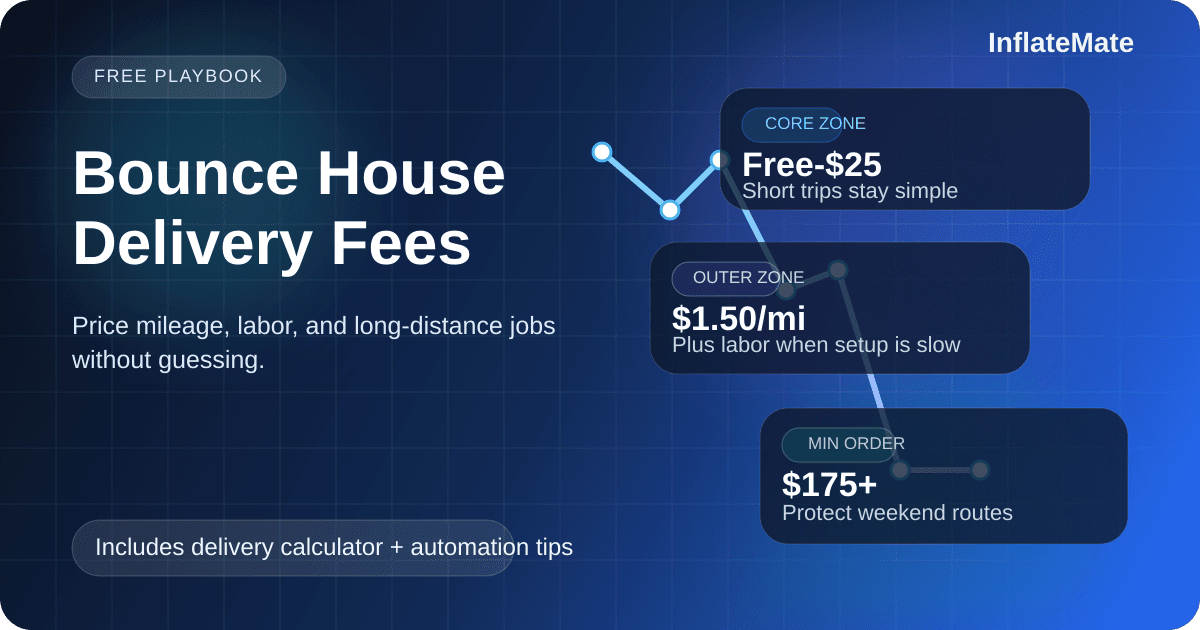
- Zone 1: free or low-cost delivery
- Zone 2: moderate fee
- Zone 3: higher fee plus a minimum order
This is the pattern you see on a lot of operator pricing pages because it is easy for customers to understand and easy for your team to quote.
3. Mileage plus minimum order
Best when:
- You cover a wider area
- Long-distance jobs are common
- Your trips vary too much for clean zone pricing
Example: "Base delivery fee + per-mile rate + minimum order for out-of-area bookings."
This gives you the most control. It also keeps local SEO growth profitable when you start ranking in nearby cities. If you are publishing location pages or expanding your service area, pair this with the local SEO playbook.
When you should add a minimum order
A lot of operators miss this part.
Even if your delivery fee is technically accurate, a far-away booking can still be a bad job if the order itself is too small.
Minimum orders make sense when:
- The address is outside your core area
- Setup takes extra labor
- The event blocks a prime weekend slot
- Pickup timing makes a second job impossible
Simple rule: if the route makes the booking harder to fulfill, the order needs to be worth more.
A practical starting formula
If you want something simple, start here:
- Set a base delivery fee that covers your shortest routine trips.
- Add a per-mile or per-zone charge once the job moves beyond that normal radius.
- Add labor when setup is slow, difficult, or crew-heavy.
- Set a minimum order for distant jobs.
That is enough to get 90% of operators out of the guessing stage.
Delivery pricing mistakes that quietly wreck margins
These are the ones I see most often:
Treating every address like a driveway setup
Park jobs, school events, apartment courtyards, and fenced backyards are not equal. They create extra labor, extra risk, and extra time.
Charging the same fee on every trip
Uniform pricing feels "fair," but it usually means your close jobs subsidize your far jobs.
Letting sales override the rule too often
If your team constantly says "just make an exception," you do not have a rule. You have manual quoting with random discounts.
Growing your service area before your pricing is ready
This is a big one. Better rankings in nearby cities sound great, but they create operational pressure immediately. More visibility only helps if your quote system can protect your margins.
What to automate after you know the math
Once your rule feels right, stop recalculating it by hand.
Inside InflateMate, the goal is to turn your delivery logic into a repeatable workflow:
- Quote the same way every time
- Apply delivery fees automatically
- Keep deposits and balances tied to the booking
- Reduce back-and-forth when your team is busy
If you are still dialing in your cash-flow policy, use the deposit calculator too. Delivery rules protect margin; deposit rules protect commitment.
A simple policy most operators can start testing this week
If your pricing feels messy, try this:
- Free or low-cost delivery inside your core radius
- Zone fee or per-mile rate outside that radius
- Extra labor charge for hard setups
- Minimum order for outer-zone jobs
Then review real jobs after 2 to 4 weeks:
- Which routes still felt too cheap?
- Which quotes triggered customer pushback?
- Which small orders should have required a higher minimum?
That is how you improve the rule without overcomplicating it.
The best delivery pricing system is not the fanciest one. It is the one your team can use consistently and your margins can survive.
If you want help tightening your delivery rules, booking flow, and local SEO pages together, book a live demo. We can map the workflow out with you.
Related reads
February 4, 2026
How to Price Bounce House Rentals for Maximum Profit (Without Losing Customers)
A practical pricing framework for bounce house rental operators to protect margins, set a minimum price floor, and adjust for demand.
March 3, 2026
Local SEO Playbook for Bounce House Rental Companies (That Actually Gets Bookings)
A practical, plain-English local SEO plan for inflatable rental operators who want more calls, more quote requests, and better quality leads.